On any EPC project, the same equipment, line, and valve data has to appear consistently across the equipment register, line list, valve list, and specification sheets. Updating each register manually is slow and creates a real risk of mismatched tag numbers or missed revisions. The Engineering Master Data & Auto Logic Excel Toolkit from GrowMechanical solves this with a linked, Excel-based master data system: enter your project information once, and the built-in logic engine automatically propagates it across every connected register.
It is built for process, mechanical, piping, and instrumentation engineers, document controllers, and EPC project teams who need standardized, error-free engineering documentation without manual re-entry.
Modules Included
- Service Master
- Equipment Register
- Line List
- Valve List
- Engineering Dashboard
- Logic Engine
- Auto Selection Database
- Master Engineering Registers
Key Features
- Fully automatic engineering registers linked to one master data source
- Auto tag generation for equipment, lines, and valves
- Intelligent logic engine that keeps every register in sync
- Built-in dashboard for project data analytics and status tracking
- Standardized documentation format across all deliverables
- Easy to customize for project-specific tag and numbering conventions
- 100% Excel-based — no programming or macros required to operate
Why EPC Teams Use This Toolkit
- Save Engineering Time: Reduce documentation time by over 80% by entering data once instead of updating multiple registers separately.
- Reduce Errors: Eliminate mismatched tag numbers and inconsistent data across registers with a single linked master source.
- Standardized Methodology: Every register follows the same format, making review, audit, and client submission faster and more consistent.
Technical Specifications
| Parameter |
Details |
| File Format |
Microsoft Excel (.xlsx) |
| Core Modules |
Service Master, Equipment Register, Line List, Valve List, Logic Engine, Dashboard |
| Automation Type |
Excel formula and lookup-based logic engine (no macros/VBA required) |
| Disciplines Covered |
Process, Mechanical, Piping, Instrumentation, EPC documentation |
| Included Extras |
Sample project file and user guide |
| Internet Required |
No — works fully offline in Excel |
Typical Applications
- EPC project engineering documentation packages
- Equipment, line, and valve register generation and maintenance
- Tag number standardization across project phases
- Client submittal and design review documentation
- Multi-discipline project data tracking via the built-in dashboard
Who Should Use This Toolkit
- Process, mechanical, piping, and instrumentation engineers
- EPC project engineers and document controllers
- Engineering consultants managing multi-discipline registers
- Project teams needing standardized, audit-ready documentation
Deliverables Included
- Service Master
- Equipment Register
- Line List
- Valve List
- Engineering Dashboard
- Logic Engine
- Auto Selection Database
- Master Engineering Registers
- Sample project file
- User guide
Compatibility
- Microsoft Excel 2010 or later (Windows or Mac)
- No programming, macros, or third-party add-ins required
- Fully editable and customizable to your project’s tag/numbering standards
How to Use This Toolkit
- Open the master data workbook and review the included sample project.
- Enter your project’s equipment, line, and valve data into the Service Master sheet.
- Let the logic engine auto-generate tags and populate linked registers.
- Review the dashboard for a project-wide summary and status check.
- Export or share individual registers (equipment, line, valve lists) for review and submission.
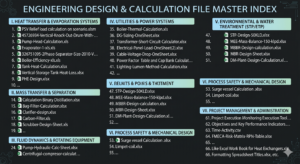
Pair this toolkit with our Engineering Design & Calculation Master Excel Bundle (65+ Industrial Sheets), our Project Management Templates, and our Project Execution & Monitoring Templates for a complete EPC documentation and calculation workflow. Also see our Electrical Engineering Calculations Excel Templates Bundle, browse the complete product catalog, or try our free online engineering calculators.
Frequently Asked Questions
Does this toolkit require programming or VBA knowledge?
No. The toolkit runs on standard Excel formulas and lookups. No macros, VBA, or programming experience is required to use it.
What exactly does the “logic engine” do?
The logic engine automatically links your master project data (equipment, lines, valves) to every connected register, so a single data entry updates the equipment register, line list, and valve list together — keeping tag numbers and specifications consistent.
Can I customize the tag numbering format for my project?
Yes. The toolkit is built to be customized to your project’s specific tag and numbering conventions.
Is a sample project included?
Yes. A sample project file and user guide are included so you can see the toolkit in use before applying it to your own project data.
Is this suitable for multi-discipline EPC teams?
Yes. It’s designed for process, mechanical, piping, and instrumentation data, making it useful across multiple engineering disciplines on the same project.
Ready to standardize your EPC documentation and cut register update time by 80%? Get the Engineering Master Data & Auto Logic Excel Toolkit today and let one linked data source drive every engineering register on your project.