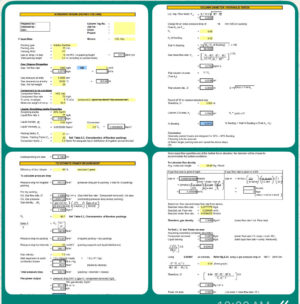
Filter sizing is a balance: an undersized filter clogs frequently and creates excessive pressure drop, while an oversized filter adds unnecessary capital and operating cost. The Filter Design Excel Sheet from GrowMechanical calculates the required filter area and checks pressure drop against your permissible range, so you can size process filters correctly the first time.
It is built for process and mechanical engineers selecting filtration equipment for chemical, oil and gas, pharmaceutical, food processing, and water treatment applications.
What This Filter Sheet Calculates
- Required filter area from flow rate and recommended flow velocity
- Operating pressure drop check against permissible range
- Filtration rating (micron size) guidance for your application
- Filter type and configuration comparison
Key Factors in Filter Sizing
Flow Rate (Q)
Volumetric or mass flow rate (typically in m³/hr or LPM) is the primary driver of required filter surface area — higher flow rates need proportionally more filter area at a given flow velocity.
Operating Pressure and Pressure Drop (ΔP)
Filters should operate within a permissible pressure drop range, typically 0.5–1.5 bar depending on service. A pressure drop climbing toward the upper limit signals clogging or an undersized filter.
Filtration Rating (Micron Size)
Required particle retention size defines filter media and construction; finer micron ratings generally require larger surface area to avoid frequent blockage at the same flow rate.
Fluid Properties
Viscosity, temperature, chemical compatibility, and density all influence filter media selection and sizing, and are built into the spreadsheet’s area calculation.
Filter Type and Configuration
Cartridge, bag, basket, pleated, and depth filters each have different flow capacities and surface area per unit, and vertical versus horizontal orientation also affects footprint and maintenance access.
Basic Filter Sizing Relationship
The core sizing formula used in this spreadsheet is:
A = Q / V
Where A is required filter area (m²), Q is flow rate (m³/hr or LPM), and V is recommended flow velocity (m/hr or LPM/m²) for your selected filter type and media.
Key Features
- Fully editable Excel workbook — no macros or add-ins required
- Automatic filter area calculation from flow rate and flow velocity
- Pressure drop check against your specified permissible range
- Filter type comparison for cartridge, bag, basket, pleated, and depth filters
- Editable summary sheet suitable for equipment datasheets and vendor RFQs
Typical Applications
- Process liquid filtration in chemical and petrochemical plants
- Oil and gas produced water and fuel filtration
- Pharmaceutical and food-grade filtration systems
- Water and wastewater treatment plant filtration
- Instrument air and utility gas filtration
Who Should Use This Calculator
Process and mechanical engineers selecting or sizing filtration equipment, EPC procurement teams evaluating vendor filter proposals, and plant engineers troubleshooting filter pressure drop or clogging issues.
What You’ll Receive
- One fully editable Excel workbook covering filter area and pressure drop calculations
- Instant digital download after purchase
- Lifetime access to your downloaded file
- Free updates if the calculation sheet is revised
Compatibility
Compatible with Microsoft Excel 2010 and later, and Excel for Microsoft 365, on Windows and Mac.
How to Use This Filter Design Sheet
- Enter your flow rate and select a filter type
- Review the recommended flow velocity and calculated filter area
- Enter permissible pressure drop range and check against your operating conditions
- Confirm filtration rating (micron size) for your application
- Export the summary sheet for your equipment datasheet or vendor RFQ
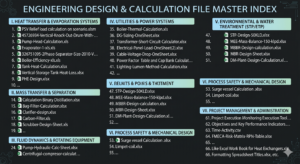
For detailed sizing tables by filter type, see our filter sizing calculation spreadsheets. If your filtration system feeds a scrubber or gas cleaning train, see our scrubber design and selection Excel sheet. For associated pump sizing on liquid filtration skids, our centrifugal pump design and selection tool is directly relevant, and for solids separation upstream, see our vertical drum separator design Excel sheet. For a full process package, see the Engineering Design & Calculation Master Excel Bundle, or browse our full library of process engineering Excel calculators.
Frequently Asked Questions
How do I know if my filter is undersized?
An undersized filter typically shows pressure drop climbing quickly toward or past the permissible limit, along with frequent clogging and shortened service intervals. This spreadsheet flags pressure drop against your specified range so you can catch this before selecting equipment.
What micron rating should I use?
Micron rating depends on the required particle retention for your downstream process or equipment protection. Finer ratings capture smaller particles but generally need more surface area to avoid frequent blockage at the same flow rate.
Does this cover both liquid and gas filtration?
Yes, the core area and velocity relationship applies to both liquid and gas filtration; enter your specific fluid properties and the spreadsheet adjusts recommended flow velocity accordingly.
Which filter type should I choose?
Filter type depends on your flow rate, required micron rating, fluid properties, and maintenance preferences. The spreadsheet’s type comparison helps you weigh cartridge, bag, basket, pleated, and depth filter options against your specific duty.
How is the file delivered?
As an instant digital download immediately after purchase, so you can begin your filter sizing the same day.
Get Your Filter Design Sheet Today
Stop guessing at filter area and risking clogging or oversizing. Download the Filter Design Excel Sheet and get a defensible filter sizing and pressure drop check in minutes.